 CozyApp
Build a snowman
Hold Option and sweep across a drift to roll a snowball. Stack three and a little snowman appears. A tiny snowplough helps with the clearing up.
Snow on your windows. A tree that plays a tune. Little moments of winter, while you get on with your day.
Free · macOS 14+ · Apple silicon & IntelHold Option and sweep across a drift to roll a snowball. Stack three and a little snowman appears. A tiny snowplough helps with the clearing up.
Click a branch to add a glass bauble. Click it again to hear its note. Drag the tree to your favourite spot — and make a little corner of Christmas your own.
Call the little snowplough from the menu to clear the Dock and the bottom of your desktop.
Choose a city to match its weather and see the next 24 hours. Or pick an atmosphere yourself. Manual scenes work offline.
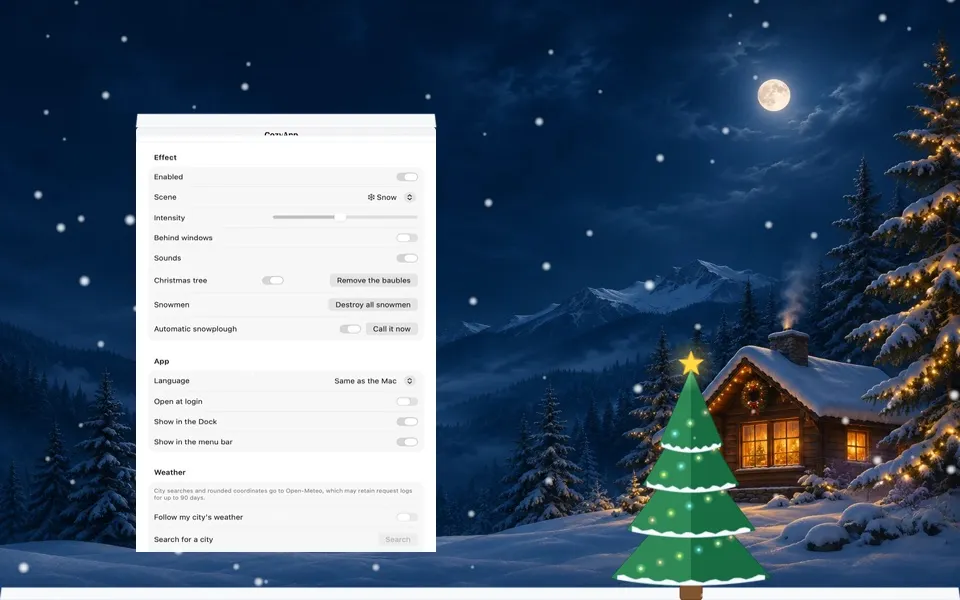
Open the ZIP, drag CozyApp into Applications and launch it. Its controls live in your menu bar.
↓Download for MacFree · macOS 14+ · Apple silicon & IntelClick the snowflake in the menu bar or the CozyApp icon in the Dock. At least one icon remains available. You can choose the app language in Settings; restart the app after changing it.
Hold Option and sweep over a drift to roll a snowball. Release Option to drop it. Stack three for a snowman. Shake a window to shed its snow, or shake the pointer back and forth for a snow-globe effect.
Click a branch to hang a glass bauble. Click a bauble to hear its note; Option-click to remove it. Drag the tree to move it. Right-click the tree or a snowman for more actions.
No device location permission is requested. You choose a city yourself. City searches and rounded city coordinates are sent to Open-Meteo, along with the IP address needed for the connection. Its technical request logs may be kept for up to 90 days.
Yes. Turn off “Follow my city’s weather” in Settings to stop periodic weather requests. Use “Remove city” to remove the saved city. Manual atmospheres work offline.